


 Back to blog
AI Data Entry: Your Guide to Automating Form Processing

 CEO of Label Your Data


Table of Contents

- TL;DR
- What AI Data Entry Can Handle Today
- A Typical AI Data Entry Workflow in Practice
- Where AI Data Entry Delivers the Most Value
- When Manual Data Entry Still Outperforms AI
- Challenges in AI Data Entry for Real-World Forms
- How Human-in-the-Loop Works in AI Data Entry
- Automation Isn’t All-or-Nothing
- About Label Your Data
- FAQ

TL;DR
- AI handles structured form data entry well, using OCR and NLP to automate extraction.
- Manual entry still beats AI in dynamic forms, specialized industries, or when high context is required.
- Human-in-the-loop systems work best, with AI doing the first pass and humans fixing edge cases.
- Common tools include: Google Document AI, Amazon Textract, Microsoft Form Recognizer.
- AI can’t fully replace manual entry but dramatically improves speed and efficiency in the right scenarios.
- AI improves efficiency most when you use standardized forms and have a lot of annotated training data.
What AI Data Entry Can Handle Today
AI data entry can take a huge load off when you’re dealing with structured forms. OCR and NLP tools now handle the bulk of the work, especially when the format is predictable. But throw in a messy layout or a form that relies on context, and you still need a person to step in.
So, what’s the solution? Automate what you can, then let humans deal with the tricky stuff.
Manual form entry is one of those old-school tasks that still slow down digital workflows. AI for data entry offers a better way — but where does it actually work well?
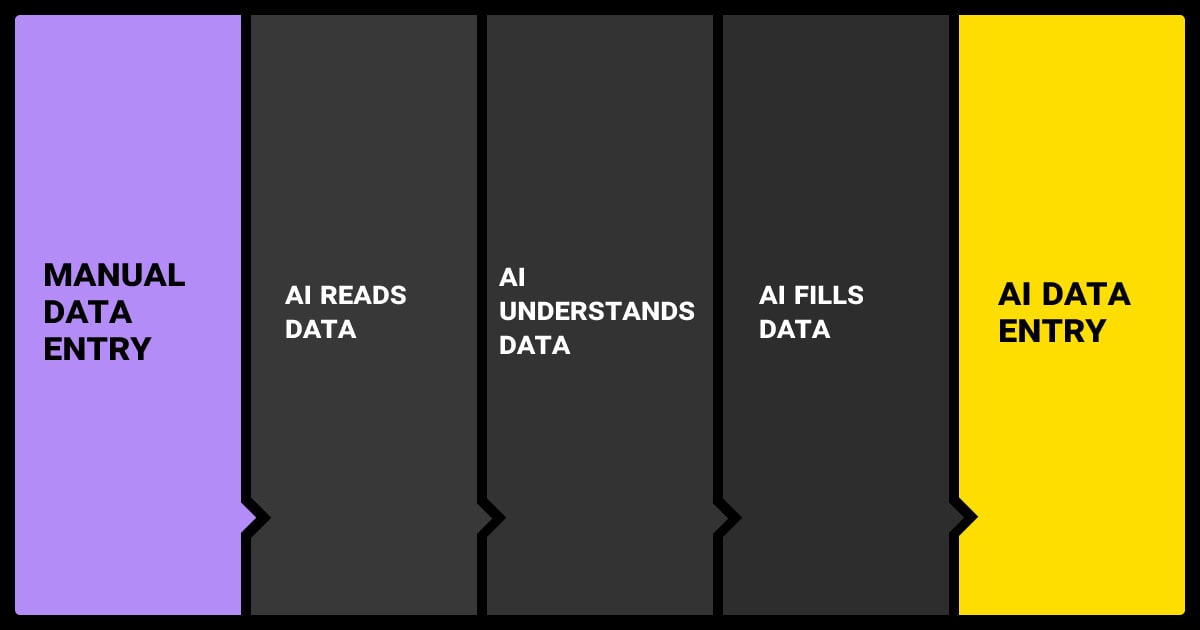
From OCR to NLP: What’s Actually Automated?
Modern OCR has gotten much better, thanks to deep learning. Tools like Tesseract (with LSTM) and transformer models like Microsoft’s TrOCR can now pull text from blurry scans pretty reliably.
Tesseract is a classical OCR enhanced with LSTM layers, while TrOCR is an end-to-end transformer-based vision-language model. They work quite differently.
But image recognition and reading text is just step one. Once the text is extracted, downstream models, including NLP, layout analysis, and rule-based systems, help identify relevant entities and their relationships.
Fine-tuned BERT models can find names, dates, and invoice numbers and plug them into structured formats. Layout-aware models like LayoutLM bring in spatial understanding—which is key when forms have a lot going on visually.
Pretrained layout models benefit from additional fine-tuning on domain-specific documents to improve accuracy, especially for uncommon layouts or fields.
Let’s take a closer look at these models and where to use them.
AI Models for Form Processing: LayoutLM vs. Donut
| Feature | LayoutLM (OCR + NLP Hybrid) | Donut (Vision-Language Transformer) |
| Pipeline Structure | Two-stage: OCR first, then NLP model processes the text and layout info | End-to-end: processes raw document images directly |
| Input | OCR-extracted tokens with positional info (bounding boxes) | Raw pixel image of the document |
| Preprocessing Required | Requires OCR (e.g., Tesseract or similar) | No OCR needed—model learns visual + textual patterns directly |
| Architecture | BERT-based model augmented with layout embeddings | Vision encoder + language decoder (similar to encoder-decoder transformer) |
| Use Cases | Works well with documents with clear text and layout (e.g., invoices, forms) | Better for messy documents, noisy scans, or when OCR fails |
| Strengths | Interpretable outputs; leverages known token positions | Handles OCR noise, handwriting, and layout shifts more robustly |
| Weaknesses | Dependent on OCR quality; breaks with OCR errors | Requires more training data and compute; less interpretable |
| Examples | LayoutLMv1, LayoutLMv2, LayoutLMv3 (Microsoft) | Donut (NAVER AI), DocFormer, StrucTexT |
When Entity Extraction Works and When It Doesn’t
These tools do great with clean templates with clearly labeled fields, consistent formatting, and minimal ambiguity. Examples include tax forms, intake documents, shipping labels.
Problems pop up when:
- Labels are missing
- You cram multiple values into one box
- Context matters
An example is like where the model needs to distinguish the billing address from the shipping address. While prompt engineering or LLM fine tuning may offer improvements, layout-dependent ambiguities typically require spatially-aware models or manual intervention.
Not sure where to start? You can bulk up your machine learning algorithm by hiring expert data annotation services.
What Still Needs Human Oversight
Once a form goes off script, like when there are handwritten notes, weird layouts, logic that depends on earlier answers, data entry AI needs backup. Humans usually jump in to:
- Fix OCR mistakes from bad scans
- Untangle overlapping or mislabeled fields
- Interpret logic like “If yes, skip to Section B”
AI handles the boring parts. People make sure the final result is actually useful; especially when mistakes have legal or compliance consequences.
In regulated industries, explainability and traceability of AI outputs are critical—especially when handling sensitive or personal information.

We've had some solid wins integrating AI into our data entry workflows. The biggest impact has been using AI tools to handle data validation and auto-correction. That cut down on manual verification time and virtually eliminated errors.

 Co-Founder & CEO, AIScreen
A Typical AI Data Entry Workflow in Practice
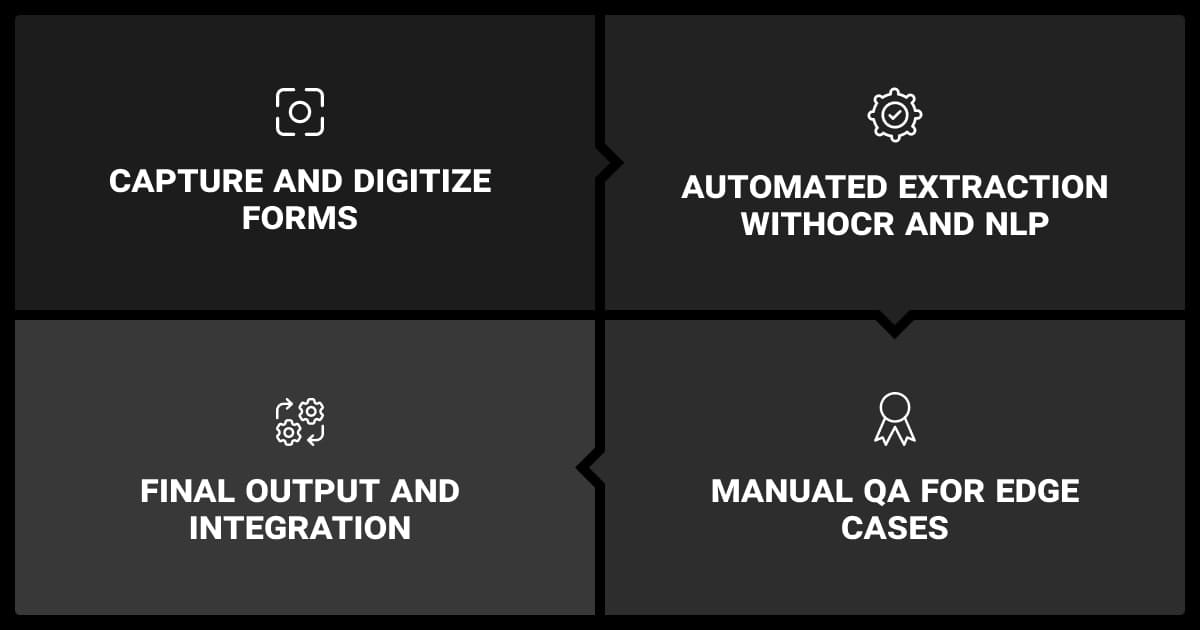
Wondering how to use AI for data entry? The basic pipeline doesn’t change much, but the details can vary depending on the documents. That said, AI pipelines often combine multiple components — OCR, vision transformers, rule-based logic, and downstream validation tools.
Step 1: Capture and Digitize Forms
Forms come in through email, uploads, phone cameras—you name it. If they’re on paper, we scan them. Then we clean them up using de-skew, sharpen, or bumping up the contrast. This helps OCR do its job.
So, can AI do data entry? Up to a point, depending on how well the AI can read and understand the form.
Step 2: Automated Extraction with OCR and NLP
OCR pulls the text and locates it on the page. NLP models look for labels and values, match them up, and extract what matters. If there’s a known template, predefined spatial markers for key fields—help guide parsing. If not, layout-aware models try to figure it out on the fly.
At this stage, you get:
- Key-value pairs
- Structured tables
- Confidence scores for each field
Step 3: Manual QA for Edge Cases
AI data entry software will flag any low-confidence fields for your human team to review. Reviewers see the original form alongside the AI’s output and make edits as needed. This is where most of the human work happens here.
In some pipelines, human corrections are collected and used to retrain models offline, data entry for AI development to improve over time.
As form templates or submission styles evolve, even high-performing models may degrade. Ongoing monitoring and model updates are essential.
Step 4: Final Output and Integration
Once the data’s good to go, you export it, usually as JSON, XML, or CSV, or pipe it straight into systems like CRMs or ERPs. Middleware makes sure everything fits the right format.
Where AI Data Entry Delivers the Most Value
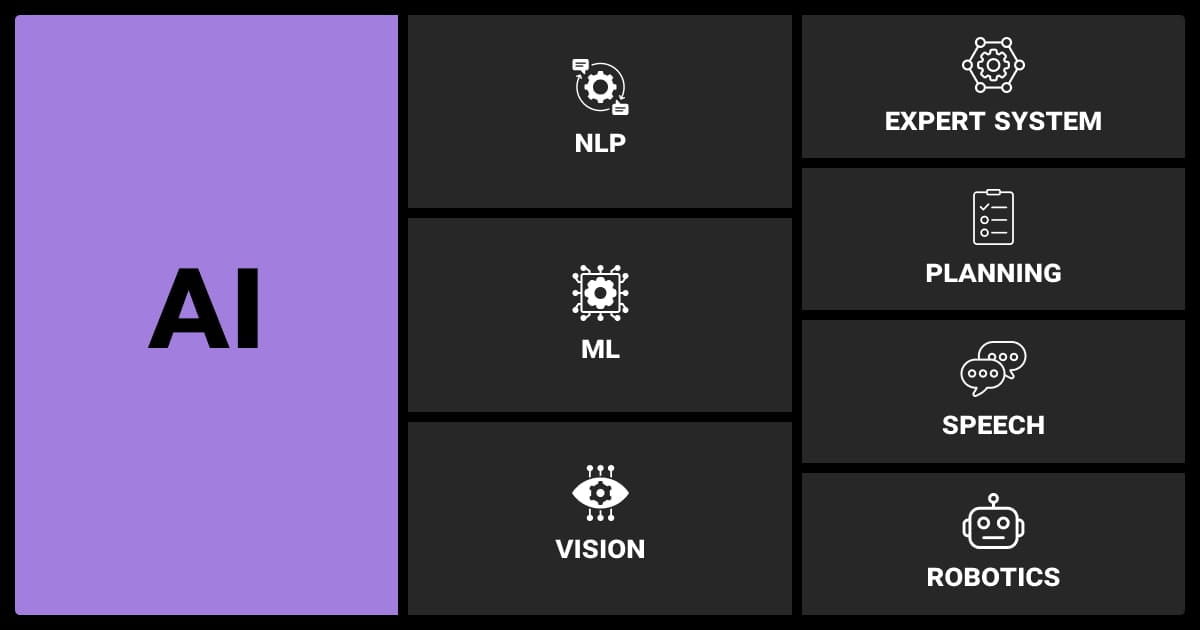
AI isn’t a one-size-fits-all solution, but when the conditions are right, it can save serious time and effort.
Structured, Repetitive Forms at Scale
AI tools for data entry shine with forms that don’t change much, like:
- Invoices from the same vendors
- Purchase orders from standard templates
- Government forms with fixed layouts
With a big enough machine learning dataset and a stable form structure, models can reach performance close to that of experienced human operators. Worried about how to collect enough properly labelled data? You can hire data annotation service provider to supplement your current dataset.
Mid-Volume Workflows That Still Need Accuracy
You don’t need huge volumes to benefit from data entry AI tools. Even mid-scale operations get a boost when speed and accuracy matter:
- Patient intake at clinics
- Mortgage applications
- Customs paperwork
AI handles the straightforward parts, and humans clean up the rest. It keeps things moving without compromising on quality.
Scenarios Where Pure Automation Falls Short
Some situations are just way too messy:
- Wildly inconsistent layouts
- Handwritten forms
- Niche language or terms unique to a specific industry
Even here, AI can help by auto-processing the easy cases and kicking the rest over to humans.
Starting small with a pilot program in one department really helps iron out issues before scaling. We began with automated validation checks and expanded to predictive entry, reducing errors by 78% in our first quarter.
 CEO, PlayAbly.AI
When Manual Data Entry Still Outperforms AI
Sometimes, using AI for data entry doesn’t make sense, you just need people. Usually, that’s because the forms are too inconsistent—or the context is too tricky.
Look for a data annotation company with experience in your industry, rather than focusing solely on data annotation pricing.
Highly Variable Templates or Layouts
In industries like legal or real estate, every document looks different. You can’t train a model for every variation, and templates don’t hold up when layouts drift.
Forms with Conditional Logic
Dynamic logic remains a challenge for most AI systems unless explicitly modeled with structured workflows or domain rules. LLM-based approaches may handle simple logic but lack reliability in critical workflows. Here, you need human judgment.
Specialized Language or Domain-Specific Needs
Fields like pharma or legal come with their own language, acronyms, and tagging systems. Without specific training, AI either misses the point or mislabels critical data.
Challenges in AI Data Entry for Real-World Forms
Most real-world forms aren’t clean and simple. They’re messy, inconsistent, and full of edge cases. Here are some of the things you need to account for.
Noisy Layouts and Design Distractions
Logos, watermarks, stamps, banners all throw off layout models. If a field moves around or ends up in an unusual spot, the system might guess wrong.
Low-Quality Scans
Skewed pages, faded ink, shadows cause OCR to struggle. Newer models like Donut do a little better. Donut performs better than OCR-dependent models on noisy inputs, but extreme degradation, like heavy skew or blur, can still hurt accuracy.
Inconsistent Labels and Formatting
The same field might show up as “Due Date” on one form and “Payment Deadline” on another. Sometimes the position changes too. This can confuse the AI without domain-specific tuning.
How Human-in-the-Loop Works in AI Data Entry
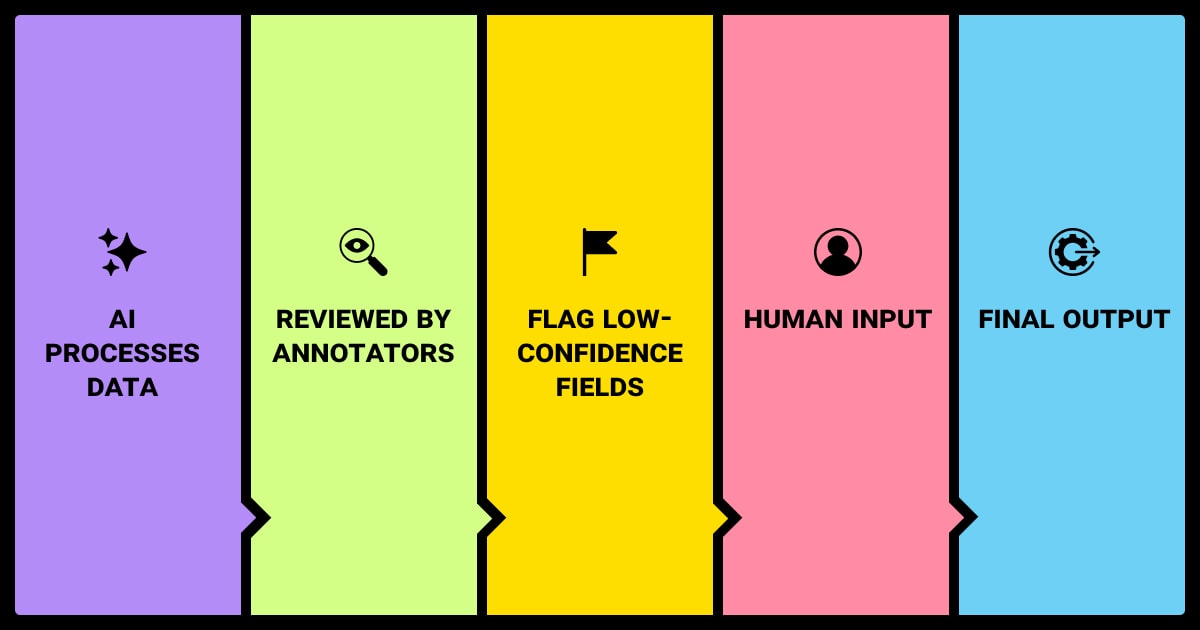
AI doesn’t replace people, it works alongside them. The best systems use both to scale up effectively without compromising on quality.
Let AI go first, then bring in the experts. The AI handles the first pass and then humans step in to fix the uncertain stuff. Review tools make it fast to check and correct.
Focus human effort where it counts. Models assign confidence scores. Anything below a certain threshold (usually 85–90%) gets flagged for review. That way, people only deal with the tricky bits.
Confidence scores typically rely on softmax outputs from classification heads or custom heuristics based on spatial/semantic matching. These scores are not always calibrated and may need post-processing or threshold tuning. These aren’t perfect, but they help prioritize human review.
The output: clean, traceable data. You end up with structured, verified data. Platforms like Scale AI or Google Document AI use this approach to blend speed with accountability.
We implemented an AI-assisted evaluation system that cut analysis time by 45% while maintaining precision in a regulated environment. In another case, predictive AI suggestions reduced data entry errors by 37%. Both relied on human-in-the-loop validation to ensure trust and accuracy.
 CEO & Co-Founder, CRISPx
Automation Isn’t All-or-Nothing
You don’t need to fully automate, and you shouldn’t. The best systems strike a balance.
Humans and AI are better together. Let the machine handle the boring stuff and let your team handle the judgment calls. That 80/20 split usually hits the sweet spot between speed and accuracy. Hybrid workflows make more sense long-term. AI is evolving and improving, but fully automated systems break down in the real world. Forms are messy, edge cases pop up constantly, and business rules evolve. Hybrid setups adapt and scale better.
About Label Your Data
If you choose to delegate data annotation, run a free data pilot with Label Your Data. Our outsourcing strategy has helped many companies scale their ML projects. Here’s why:
 Data Annotation for Complex Environments
Rely on consistent, high-quality output for complex datasets, detailed taxonomies, and edge cases.
 Structured Quality From Pilot to Production
Get quality engineered into every step through onboarding, evolving guidelines, QA, and continuous feedback.
 Flexible and Scalable Operations
Adjust team capacity, project size, and delivery model as you scale, with no setup fees or long-term lock-ins.
 An Integrated Delivery Partner
Align on goals, workflows, and expectations with a team that integrates into your process from day one.
 Projects Led by Annotation Experts
Work with former annotators who understand annotation complexity, quality standards, and high-volume delivery.
FAQ
Is there an AI for data entry?
Yes, tools like Google Document AI, Amazon Textract, and Microsoft Form Recognizer use OCR and NLP to pull data from forms.
What is AI data entry?
It’s using machine learning, mainly OCR and NLP, to turn scanned forms or PDFs into structured data.
Can ChatGPT do data entry?
ChatGPT can assist with tasks like data validation, formatting, or scripting—but it doesn’t process scanned documents or images without an external OCR pipeline.
Can AI handle handwritten forms?
Sort of. If the handwriting is neat, sure, but if it’s messy or inconsistent, you’ll still need a human to check it.
Is AI data entry more accurate than manual entry?
It can be, depending on the form. If the information is clean and consistent, machines can process the form more quickly and accurately than humans. But how many forms are ideal? If people cross out letters or have unclear handwriting, humans are better at reading the forms than machines. The same applies for edge cases and ambiguous layouts.
What types of documents can be processed with AI data entry?
Invoices, tax forms, insurance claims, onboarding docs, and purchase orders—all great fits when the layout stays consistent.
Written by
CEO of Label Your Data
Karyna is the CEO of Label Your Data, a company specializing in data labeling solutions for machine learning projects. With a strong background in machine learning, she frequently collaborates with editors to share her expertise through articles, whitepapers, and presentations.