


 Back to blog
Autodistill: How to Auto-Label Computer Vision Datasets

 CEO of Label Your Data


Table of Contents

- TL;DR
- What Is AutoDistill?
- How AutoDistill Works
- AutoDistill Base Models
- AutoDistill Target Models
- Using AutoDistill: Workflow Overview
- When AutoDistill Works Best
- When Human Annotation Is Still Needed
- Ontology Design: What Actually Works
- AutoDistill Deployment: Cloud and Edge Considerations
- When AutoDistill Is Production-Ready
- About Label Your Data
-
FAQ
- Does AutoDistill work with my custom object classes?
- What’s the actual accuracy hit compared to human-labeled datasets?
- Can I use AutoDistill for segmentation tasks?
- How do I fix poor auto-labeling results: retrain the base model or just adjust prompts?
- Does AutoDistill integrate with active learning pipelines for continuous improvement?

TL;DR
- AutoDistill cuts dataset labeling from weeks to under an hour: foundation models auto-label via text prompts, then train fast deployment models without manual annotation.
- You’ll hit 70-85% accuracy instead of 90%+, but that’s often enough for prototypes, standard detection, and getting models to production fast.
- The secret lies in using hybrid workflows where AutoDistill handles bulk labeling and humans fix only the hard 30% (production accuracy at half the cost).
What Is AutoDistill?
AutoDistill is an open-source framework created by Roboflow in 2023 that automates computer vision dataset labeling through knowledge distillation. It solves a problem you already know: training custom models requires thousands of labeled images in machine learning datasets, and getting quality annotations at scale takes time.
The framework works in two stages. A large “base model” like Grounding DINO labels your unlabeled images based on text prompts. Then a smaller “target model” like YOLOv8 trains on those auto-generated labels. You go from raw images to a deployable model without manual human annotation.
AutoDistill has three components:
- Base models: Large pre-trained models that understand images through text prompts (Grounding DINO for detection, GroundedSAM for segmentation, DETIC for broad vocabulary)
- Ontology: Mapping between prompts and class names (“plastic water bottle” → “bottle”)
- Target models: Fast inference models trained on auto-labeled data (YOLOv8, YOLO-NAS)
Knowledge distillation transfers the foundation model’s detection capability into a smaller model optimized for your task. The teacher model knows millions of concepts but runs slow on heavy hardware. The student model learns only your specific classes and runs fast on edge devices.
The distillation process is lossy. The base model misses objects, produces imprecise boxes, and occasionally mislabels. The target model inherits these errors. This is why AutoDistill-trained models hit lower accuracy than human-labeled equivalents — but you get that model in hours instead of weeks.
We researched AutoDistill because machine learning engineers need honest data on when automation works versus when expert data annotation is necessary.
How AutoDistill Works
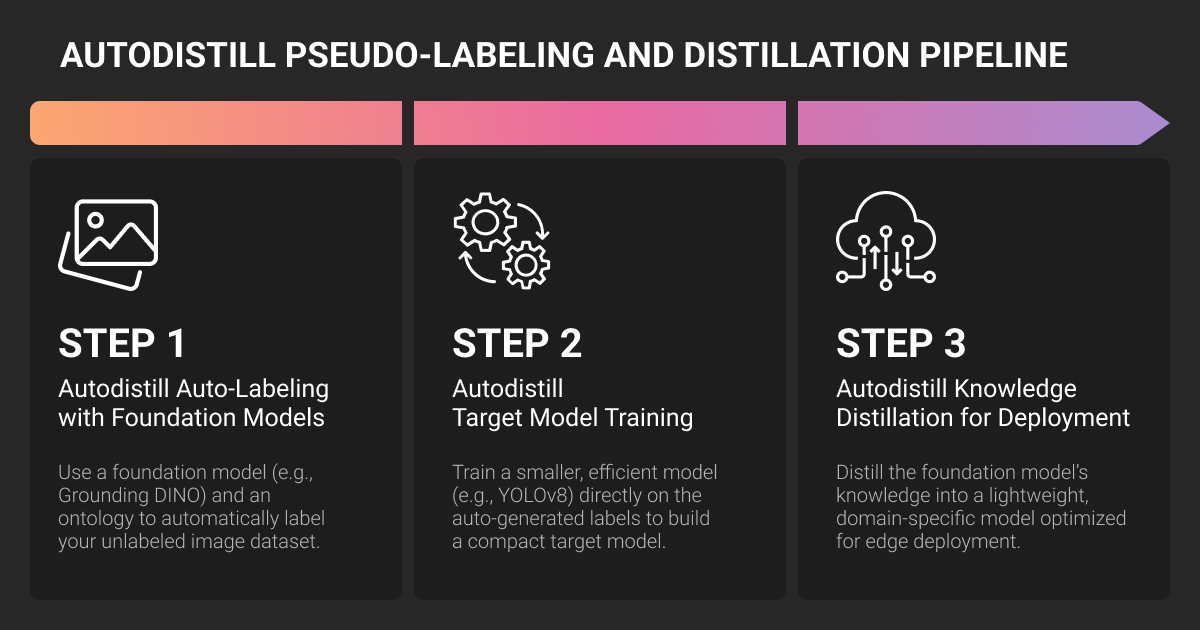
The machine learning algorithm uses zero-shot detection to generate labels. Foundation models understand visual concepts without task-specific training.
The process:
- Provide unlabeled images and text prompts
- Base model detects objects matching those prompts
- AutoDistill saves bounding boxes in YOLO format
- Target model trains on this synthetic dataset
- Deploy the compact model
The base model applies its existing knowledge; it never trains on your data. This is why ontology design matters. Poor prompts cascade into poor labels and poor models.
Example: say you have images of bottles on a conveyor belt. Prompt Grounding DINO with “milk bottle white label.” It auto-labels your dataset. Train YOLOv8. Deploy to a Jetson. Total time: a couple of hours versus days of manual work.
AutoDistill Base Models
| Model | Speed | Strengths | Limitations | Best For |
| Grounding DINO | 1-2 sec/image | Generalizes well, works with descriptive phrases | Struggles with small objects, fine distinctions | General detection, prototyping |
| GroundedSAM | 5-10 sec/image | High-quality masks, excels at irregular shapes | Very slow, high VRAM, misses small objects | Instance segmentation |
| DETIC | Faster | 21K classes, strong on rare categories | Class confusion with similar objects | Tasks needing many object types |
Grounding DINO is the starting point for most projects. It’s a zero-shot detector that works with natural language prompts. Fast enough for iteration, accurate enough for standard objects.
GroundedSAM is preferred for segmentation. The original version (autodistill-grounded-sam) combines Grounding DINO with SAM. The newer AutoDistill Grounded SAM 2 pairs Florence-2 with SAM 2 for enhanced detection and video support. Both produce bounding boxes and instance segmentation masks.
Use it when mask quality matters more than speed: satellite imagery, agricultural applications, medical imaging prototypes.
DETIC handles broad vocabularies well and detects rare objects better than alternatives. This comes with a higher risk of confusion between similar objects.
Choose based on your task: standard detection uses Grounding DINO, segmentation needs GroundedSAM, broad categorization requires DETIC.
AutoDistill Target Models
YOLOv8 is the default. Variants range from nano to xlarge. Nano runs fast on edge devices, larger variants trade speed for accuracy. Exports to ONNX, TensorRT, CoreML, TFLite. Best for general deployment.
YOLO-NAS achieves higher accuracy, especially for small objects, and supports INT8 quantization. This comes at the cost of significantly slower inference. Use it when accuracy matters more than latency.
Model selection:
- Edge deployment: YOLOv8-nano or small
- Accuracy insufficient: YOLOv8-medium
- Maximum accuracy: YOLO-NAS (if latency allows)
- Cloud with GPU: Medium or large
Using AutoDistill: Workflow Overview
Install Roboflow AutoDistill, your chosen base model, target model, and visualization tools. Each is a separate plugin to avoid conflicts.
Prepare your images
Organize them in one directory. Resolution should be reasonable: foundation models perform poorly on low-quality inputs.
Define your ontology
Map descriptive prompts to class names. Be specific (“red fire extinguisher” not “fire equipment”), use visual descriptions (“person wearing hard hat” not “worker”), avoid ambiguity.
Test on samples first
Run predictions on a hundred test images. Visualize results. If the base model misses objects or produces false positives, adjust prompts. Only proceed when test accuracy looks reasonable.
Label the full dataset
The base model processes your images and generates YOLO-format annotations. This takes under an hour for typical datasets.
While AutoDistill automates labeling, complex projects may still require a data annotation platform for human review and edge cases.
Train your target model
Standard training with the usual hyperparameters. Evaluate on a test set. If accuracy is too low, refine your ontology or add more images.
The AutoDistill GitHub repository contains installation guides and examples.
When AutoDistill Works Best
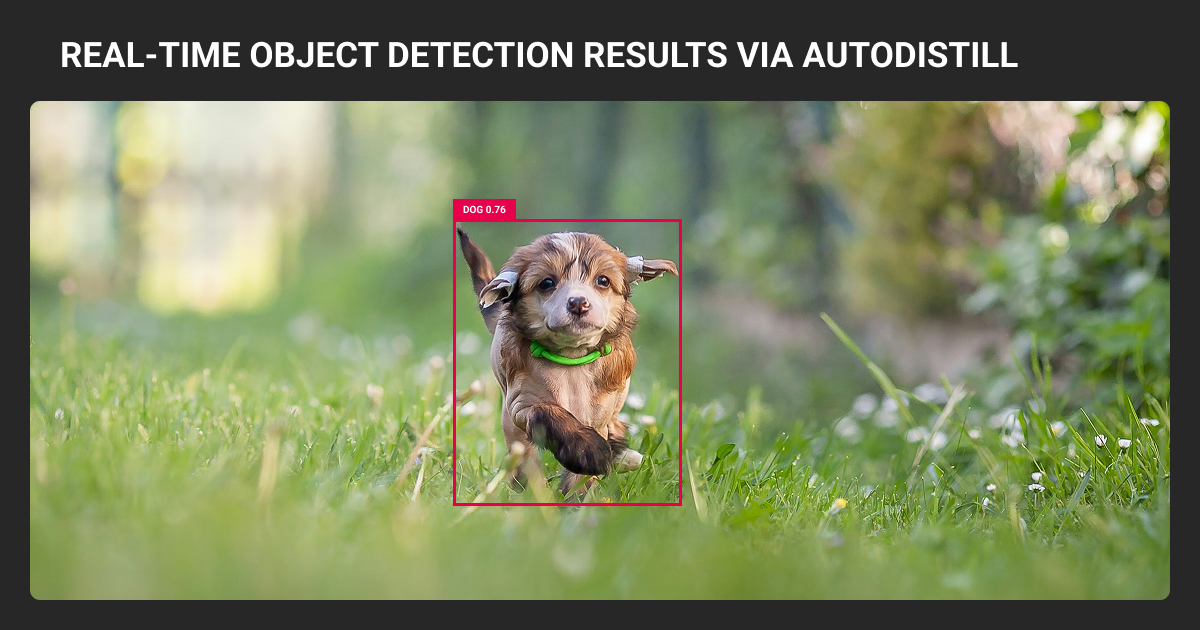
AutoDistill excels at standard image recognition tasks with clear visual features.
Good fit tasks:
- Generic object detection: Retail product counting, warehouse package detection, vehicle tracking
- People and vehicle detection: Traffic monitoring, security cameras, occupancy counting
- Large object segmentation: Satellite imagery, agricultural field boundaries
- Document layout: Form fields, table extraction, receipt parsing

One of our certified investigators processed thousands of surveillance frames in a trafficking case — surfaced 47 critical images in under 48 hours versus months manually. My advice: never deploy AI output without human verification. Your false positive rate will kill trust faster than any time savings.

 CEO & Founder, McAfee Institute
When Human Annotation Is Still Needed
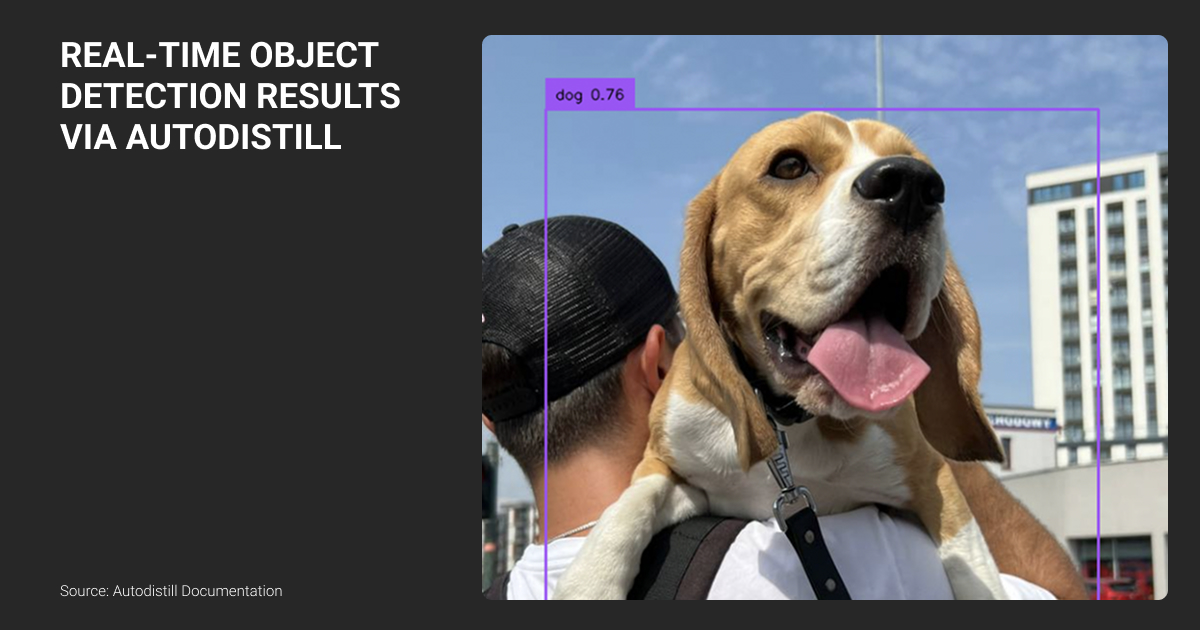
Tasks requiring human expertise
- Fine-grained classification: Manufacturing defects (crack types, severity levels), medical imaging, fashion categories (requires domain knowledge foundation models lack)
- Small object detection: Drone imagery, PCB inspection (objects under 32 pixels are unreliable)
- Domain-specific anomalies: Industrial defects, rare conditions, novel equipment (underrepresented in training data)
- Safety-critical applications: Medical devices, autonomous vehicles, pharmaceuticals (need verified accuracy and audit trails)
- Crowded scenes: Dense crowds, stacked products (base models struggle with many overlapping objects)
Label Your Data is a data annotation company that handles these scenarios with domain-expert annotators. Manufacturing projects get engineers who understand defect classifications. Medical imaging gets radiologists.
AutoDistill vs human labels
Auto-generated labels are noisier than human labels.
| Metric | Human-Labeled | AutoDistill |
| [email protected] | 85-92% | 72-82% |
| Small object mAP | 70-80% | 45-65% |
The gap exists because the base model misses objects, produces imprecise coordinates, confuses similar classes, and knowledge distillation sacrifices recall for speed. The benefit: inference runs much faster.
Confidence thresholds aren’t universal. High thresholds reduce false positives but miss objects. Low thresholds catch more but add noise. Test on your validation set and adjust per-class.
Monitor for data drift post-deployment. Track low-confidence predictions. If precision drops noticeably, retrain.
Always compare Roboflow AutoDistill results to a manually-annotated test set before production. This reveals systematic failures early.
Label Your Data case: Why experts beat AI on nuanced tasks
Label Your Data worked with Technological University Dublin researcher Kyle Hamilton to compare human linguists versus ChatGPT for propaganda detection in news articles. Three annotators with linguistic backgrounds classified 357 sentences using 22 rhetorical device categories.
ChatGPT showed higher consistency, but only because it selected popular answers from training data, not because it understood nuance. Human annotators varied in their classifications because they brought contextual understanding and real-world knowledge that AI models lack.
Despite lower agreement scores, human annotations proved more reliable for the research.
The same pattern applies to computer vision. Foundation models like Grounding DINO are trained on internet images. They recognize common patterns but miss domain-specific context that human annotators catch.
Professional data annotation services remain necessary for fine-grained classification and safety-critical applications.
Cost comparison
AutoDistill reduces GPU labeling to $50-200 versus $500-10,000 for manual annotation. But production teams still need human review on 20-40% of images.
Use our free data annotation pricing calculator to estimate costs for your labeling workflow.
Best practice: hybrid approach. AutoDistill labels straightforward cases, humans handle edge cases and validation. This achieves production accuracy at reduced cost.
AutoDistill removed the biggest bottleneck — manual labeling. Works best for niche detection where labeled data is scarce: factory defects, retail shelves, medical images. For production: never fully automate without review. Combine it with active learning and retraining — becomes a long-term data engine, not a one-time shortcut.
 Co-founder&CEO, Aitherapy
Ontology Design: What Actually Works
| Design Factor | Good Example | Poor Example | Impact |
| Specificity | "red fire extinguisher" | "fire equipment" | Misses variants |
| Concreteness | "upright standing person" | "human" | More false positives |
| Domain context | "shipping container brown" | "container" | Poor generalization |
| Visual properties | "plastic bottle with label" | "bottle" | Worse localization |
Test multiple ontology variants on sample images. Generic to specific to very specific. Compare results. Iterate until accuracy looks good.
Common AutoDistill failures
Ambiguous prompts (“damaged product”), overly broad terms (“equipment”), compound queries (“person AND bicycle” — doesn’t work), missing context (“apple” without specifying fruit vs logo).
Grounding DINO works best with simple, visually descriptive nouns. Complex referring expressions don't translate reliably.
We automated sketch-to-code recognition and trained detectors on UI elements. Took time to get prompts right, but once models learned our style, iterating became way faster. Set up a feedback loop from the start — collect real data, tweak prompts. That's how detectors keep up with new design ideas.
 Founder and CEO, Superpencil (Enlighten Animation Labs)
AutoDistill Deployment: Cloud and Edge Considerations
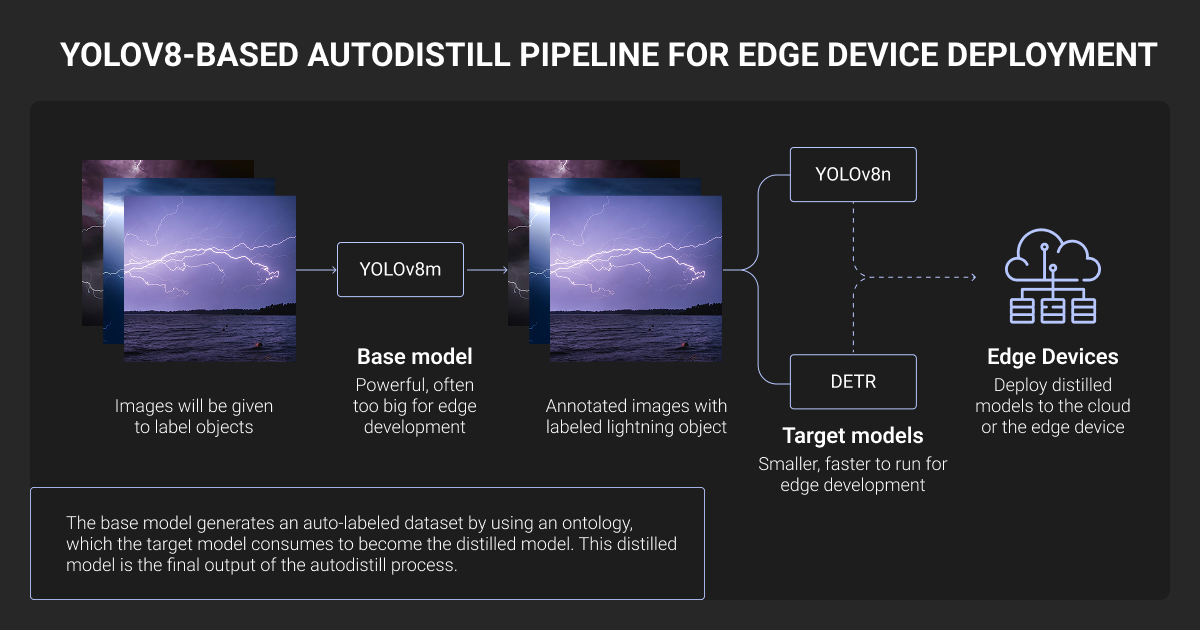
AutoDistill produces standard PyTorch models. Export to ONNX for cross-platform, TensorRT for NVIDIA hardware, CoreML for iOS, TFLite for mobile.
Latency by format:
- PyTorch CPU: baseline
- ONNX CPU: 3x faster
- TensorRT FP16 GPU: 60x+ faster
- TensorRT INT8 edge: 7-13x faster
For edge deployment under 50ms, use TensorRT with FP16 or INT8. YOLO-NAS supports post-training quantization better than YOLOv8.
Edge devices:
- Jetson Orin/Xavier: YOLOv8-small to medium works well
- Raspberry Pi: Not recommended (use Coral TPU)
- Intel NUC with GPU: YOLOv8-nano/small
Cloud deployment can run PyTorch under FastAPI or ONNX with Triton for scalable serving.
Implement active learning: capture low-confidence predictions, re-label with base model or humans, retrain periodically.
When AutoDistill Is Production-Ready
| Use Case | Readiness | Notes |
| Conveyor detection | Production | Minimal human involvement |
| Surveillance counting | Production | Error tolerance acceptable |
| Medical imaging | R&D only | Requires clinical accuracy |
| Manufacturing defects | Hybrid | AutoDistill + human severity classification |
| Autonomous vehicles | Unacceptable | Safety-critical |
| Proof-of-concept | Ideal | Fast prototyping |
Use AutoDistill when:
- You need a model quickly for standard detection tasks
- Accuracy in the 70-85% range works for your application
- You can validate with limited human review
Use human annotation when:
- Accuracy above 90% is required
- Fine-grained features matter
- Regulatory compliance is needed
- Domain is highly specialized
AutoDistill works best as a prototyping tool integrated into human-in-the-loop ML workflows. Auto-label most cases, humans handle edge cases and validation. This achieves production accuracy at reduced cost and time.
The result is a distilled model optimized for your task, running fast on your target hardware, trained in hours instead of weeks.
About Label Your Data
If you choose to delegate data labeling, run a free data pilot with Label Your Data. Our outsourcing strategy has helped many companies scale their ML projects. Here’s why:
 Data Annotation for Complex Environments
Rely on consistent, high-quality output for complex datasets, detailed taxonomies, and edge cases.
 Structured Quality From Pilot to Production
Get quality engineered into every step through onboarding, evolving guidelines, QA, and continuous feedback.
 Flexible and Scalable Operations
Adjust team capacity, project size, and delivery model as you scale, with no setup fees or long-term lock-ins.
 An Integrated Delivery Partner
Align on goals, workflows, and expectations with a team that integrates into your process from day one.
 Projects Led by Annotation Experts
Work with former annotators who understand annotation complexity, quality standards, and high-volume delivery.
FAQ
Does AutoDistill work with my custom object classes?
Roboflow AutoDistill works with custom classes through text prompts. You define an ontology mapping prompts to your classes ("industrial valve model X" → "valve"). The base model uses zero-shot detection, so it works with any visually describable object.
Limitation: fine-grained distinctions the foundation model hasn't seen (specific defect types, rare equipment) won't work reliably. Test your ontology on 50-100 sample images first.
What’s the actual accuracy hit compared to human-labeled datasets?
Expect 10-15% lower [email protected] (typically 72-82% vs 85-92% with human labels). Small objects degrade more—15-35% lower mAP. The gap comes from the base model missing 5-15% of objects, imprecise bounding boxes, and class confusion.
For production, use a hybrid approach: AutoDistill for bulk labeling, humans for edge cases and validation—gets you to 90%+ at half the cost.
Can I use AutoDistill for segmentation tasks?
Yes. GroundedSAM produces instance segmentation masks, not just boxes. It combines Grounding DINO detection with SAM for precise masks. Good for irregular shapes, satellite imagery, agricultural applications.
Tradeoff: 5-10 seconds per image vs 1-2 seconds for detection-only. Target models support segmentation variants (YOLOv8-seg).
How do I fix poor auto-labeling results: retrain the base model or just adjust prompts?
Adjust prompts, never retrain. The base model is frozen—it applies existing knowledge. Poor results mean poor ontology design.
Test prompt variations: "red fire extinguisher" vs "fire equipment" vs "emergency extinguisher red." Iterate on 50-100 test images until accuracy hits 70%+. If the base model fundamentally doesn't understand your objects (highly specialized domain), AutoDistill won't work—use human annotation.
Does AutoDistill integrate with active learning pipelines for continuous improvement?
Not out-of-the-box, but easy to build. Capture low-confidence predictions in production → run base model again to propose labels → human validates → retrain target model.
The YOLO-format outputs and modular design support this workflow. Some teams use Roboflow AutoDistill for initial dataset, then switch to traditional active learning with human annotators for iteration.
Written by
CEO of Label Your Data
Karyna is the CEO of Label Your Data, a company specializing in data labeling solutions for machine learning projects. With a strong background in machine learning, she frequently collaborates with editors to share her expertise through articles, whitepapers, and presentations.